
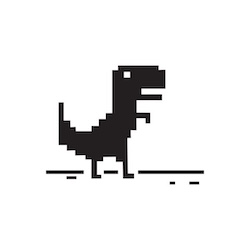
Dinosaur Game
All trademarks belong to their respective owners.
Description
The History of the Dinosaur Game on Google Chrome
Development of Chrome’s T-Rex
The dinosaur game was developed by the Google Chrome team, led by Sebastien Gabriel, and was officially launched in September 2014. Integrated as a Chrome Easter Egg, it automatically appears whenever you open Chrome without an internet connection.
Pixel-Art Graphics and the Iconic T-Rex
Set against a pixel-art desert backdrop, the dinosaur game stars a solitary T-Rex. Its retro interface features minimalist colors and classic visuals. Obstacles such as cacti and passing Pterodactyls keep the look clean and appealing to all ages.
Signature Endless Runner Gameplay
The game belongs to the endless runner genre meaning it has no fixed endpoint. You guide the T-Rex to continually avoid obstacles, with the game ending only when you hit something. This creates the urge to see just how long you can survive with each run.
Dinosaur Game Gameplay Guide
How to Control the T-Rex
In the dinosaur game, the T-Rex automatically runs from left to right on the screen. You must time your jumps over cacti and duck to evade low- or mid-flying Pterodactyls. The game speed gradually increases, truly testing your reflexes and focus.
Scoring and Day-Night Mode
Your score is based on the distance you travel. For every 700 points you earn, the dinosaur game switches between day and night (inverting the background colors), keeping things fresh and keeping you engaged during long sessions.
How to Play Dinosaur Game on PC and Mobile
Dinosaur Game Controls (PC/Mobile)
- Jump: Spacebar / ↑ / Tap
- Duck: ↓ (PC)
- Restart: Spacebar / Tap
Dinosaur Game Tips and Hidden Features
How to Score High with the T-Rex
To achieve a high score, stay calm as the speed increases. Don’t jump too early at high speeds wait until the obstacle is closer. Master the fast drop (while airborne, press the Down Arrow to drop the T-Rex quickly) to prepare for upcoming obstacles. Keep a close eye on the birds:
- High-flying birds require no action,
- For medium-height birds, duck underneath,
- For low-flying birds, jump over them.
How to Access the Dinosaur Game Online
You can play the dinosaur game even if you have an active internet connection by typing “chrome://dino” into Chrome’s address bar. For the best experience, switch to full-screen mode which offers a wider view and easier controls.
Dinosaur Game’s Social Value and Performance
Relieving Stress When Offline
The dinosaur game transforms that irritating wait for your internet to come back into an entertaining break, helping users relax while they wait to reconnect.
Ultra-Optimized Chrome Pixel-Art Performance
Thanks to its minimalist pixel-art design, the dinosaur game loads almost instantly and uses minimal system resources. There’s no need for installation, and it runs smoothly on nearly any device with Chrome.
Dinosaur Game – A Global Web-Based Pastime
The dinosaur game’s popularity stems from being available on Chrome browsers worldwide present on billions of devices. Its easy interface, increasing difficulty, and age-neutral design have made it a nostalgic favorite for internet users everywhere.
Why Does the Dinosaur Game Keep Players Coming Back?
The dinosaur game perfectly captures the appeal of minimalist design and creativity, delivering simple joy even when the internet goes out. If you haven’t played it yet or just discovered it, this unique experience is definitely worth trying at least once.
Information
Language
English
Category
H5 Games
Gender
Male
Female